

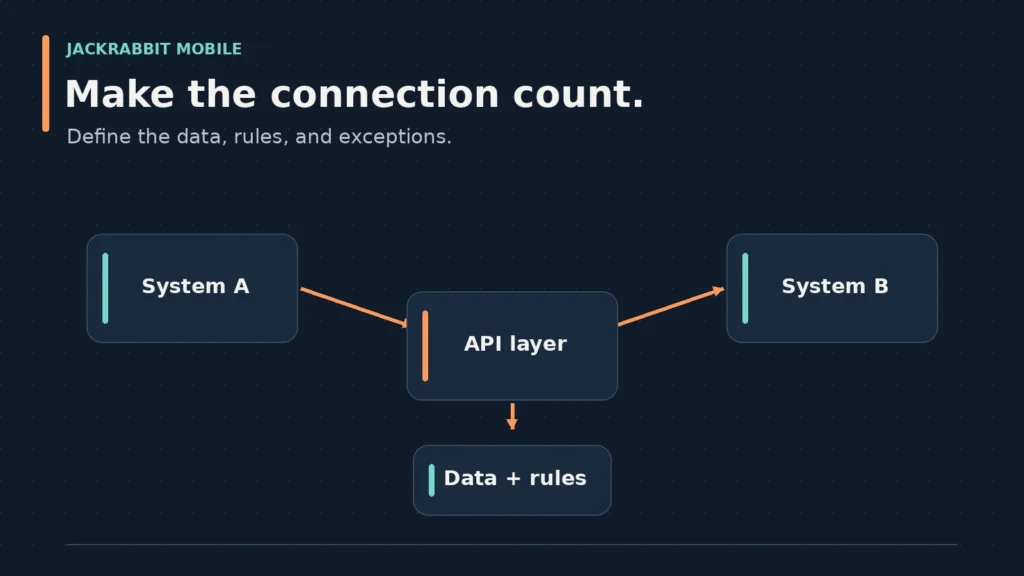
Custom API Integration Service: Questions to Answer Before Connecting Business Systems
A custom API integration service builds a connection between two software systems that don’t have a ready-made bridge. You’re likely here because a team is deciding whether to build that connection, buy a connector, or live with manual work. The right answer depends less on the API itself and more on how your data moves, who owns it, and what happens when something breaks.
What an API Integration Should Solve
An API integration exists to move data or trigger actions between systems without a person copying and pasting in between. The business problem is usually one of three things: duplicate data entry, delayed information, or a process that can’t scale because it depends on one person’s memory.
Before you talk to any custom api integration service, write down the specific workflow you’re trying to remove. “Sync orders from an e-commerce platform to an accounting system” is a scoped problem. “Connect our systems” is not. The first one lets a developer name the endpoints, fields, and failure cases. The second one invites scope creep.
A useful integration also has a clear owner on your side. That person knows what the data should look like, can test the connection with real records, and can decide what happens when a record fails. Without that owner, the development team will make reasonable guesses that may not match how your business actually operates.
Native Integration vs. Custom Integration
Some software products ship with native integrations: prebuilt connectors that handle the most common use cases. If one exists and covers your workflow, it’s usually cheaper and faster than a custom build. The trade-off is control. Native connectors often limit which fields sync, how often they run, and what you can do when a record conflicts.
A custom api integration service makes sense when the native option doesn’t cover your workflow, when you need to connect an internal system that no connector supports, or when the data transformation rules are specific to your business. Custom work also lets you build for the edge cases you already know about, not the generic ones a connector vendor guessed at.
That flexibility has a cost. You’re responsible for maintaining the integration when either system changes its API. You’ll need monitoring, error handling, and someone to call when a sync quietly stops working.
Map Source Data, Destination Data, and Ownership
Most integration projects fail in the gap between what the source system sends and what the destination system expects. A custom api integration service should start with a field-by-field map, not a high-level description.
For each field, you need to answer three questions. Where does the data come from? What transformation does it need before it lands? Who owns the truth when the two systems disagree? A customer’s billing address might live in your CRM, but the shipping address might be the one that matters for fulfillment. If the integration overwrites one with the other, you’ve created a data problem, not solved one.
Data types matter more than they look. A date field that arrives as a string, a currency value that arrives without a decimal, or a name field that arrives as one string when the destination expects first and last name separately: these are the details that can turn a small project into a long one. The mapping document should call them out before development starts.
Ownership and Reconciliation
Ownership means deciding which system wins when records conflict. If a customer updates their phone number in your support tool and your billing system still has the old one, which one is correct? The answer is a business rule, not a technical one. Write it down.
Reconciliation is the process of checking that records actually arrived. A sync can report success while silently dropping records that didn’t match a validation rule. Your integration should log every record it processes, flag the ones it skipped, and give you a way to review those flags without reading raw logs.
Handle Exceptions, Retries, and Reconciliation
Every API fails sometimes. The question is whether your integration fails loudly or quietly. A well-built custom api integration service treats failure as a normal part of the design, not an edge case to handle later.
Retries are the first layer. If a request times out, the integration should retry it with a backoff strategy, waiting longer between attempts. But retries alone aren’t enough. If a record fails five times, the integration should stop retrying, mark the record as failed, and notify someone. Infinite retries just create a queue of stuck records that nobody sees.
Idempotency is the technical term for making sure a retry doesn’t create duplicate records. If the destination system receives the same request twice, it should recognize the duplicate and ignore it. This matters most for financial transactions, inventory updates, and anything where a duplicate creates real work for your team.
Error Logs a Human Can Read
Raw API logs are developer tools. Your team needs a simpler view: which records failed, why, and what to do next. A useful integration dashboard shows failed records with the error message translated into plain English, a link to the source record, and a retry button that’s safe to press.
That dashboard is often the difference between an integration your team trusts and one they work around. If your operations team can’t see what failed, they’ll assume everything failed. Then they’ll start checking records manually, which defeats the purpose of the integration.
Plan Security, Access, and Ongoing Maintenance
API credentials are keys to your business systems. A custom api integration service should treat them that way. Store credentials in a secrets manager, not in the codebase. Rotate them on a schedule. Give each integration its own credentials with the minimum permissions it needs, so a compromised key can’t take down your entire system.
Access control on the human side matters too. Decide who can view logs, retry failed records, and change the integration’s configuration. A support agent might need to retry a failed order sync. They probably don’t need to change the field mapping.
Maintenance Is Part of the Build
APIs change. Vendors deprecate endpoints, add required fields, or change rate limits. Your integration will need updates when that happens. Plan for it before you sign a contract.
A maintenance agreement should cover monitoring, bug fixes, security patches, and minor updates when an API changes. It should also define what counts as a minor update versus a new project. If a vendor completely rebuilds their API, that’s a new integration, not a patch. Get that boundary in writing.
Questions to Ask Before an Integration Project
These questions will save you from the most common integration failures. Ask them before you commit to a custom api integration service, not after development starts.
What’s the specific workflow this integration replaces? If you can’t describe it in two sentences, the scope isn’t ready.
Which system owns each field when records conflict? This is a business decision. Make it before the developer has to guess.
What happens when a record fails? Define the retry policy, the notification path, and the human who reviews failures.
Who on your team will test the integration? The developer tests that the code works. Your team tests that the data is right. Both are required.
What’s the maintenance plan after launch? APIs change. Know who’s responsible for keeping the integration running and what that costs.
What are the security requirements? If the integration touches payments, health data, or personal information, the security review is different from a simple marketing sync.
How will you know the integration is working? Define success in terms of records processed, errors caught, and time saved, not just “it’s live.”
Frequently Asked Questions
What is custom API integration?
Custom API integration is the process of building a tailored connection between two software systems that don’t have a prebuilt connector. It involves mapping fields, transforming data, handling errors, and maintaining the connection as either system changes. The custom part means the integration is built for your specific workflow, not a generic use case.
What are API integration services?
API integration services are offerings from development teams that design, build, test, and maintain connections between software systems. A custom api integration service typically includes discovery, field mapping, development, error handling, security setup, testing, and ongoing support. The scope varies based on the systems involved and the complexity of the data transformation.
How much do API integrations cost?
API integration costs vary widely based on scope. The cost depends on the systems involved, the number of fields, the transformation rules, and the maintenance plan. A scoped estimate becomes possible after the field mapping is complete.
Can you give me an example of an API service?
A common example is syncing orders from an e-commerce platform to an accounting system. The integration pulls new orders through the e-commerce API, transforms the data into the format the accounting system expects, and creates invoices automatically. Another example is connecting a CRM to a marketing automation tool so new leads flow into email campaigns without manual export.
Talk With Jackrabbit Mobile About Your Integration Needs
If you’re evaluating a custom API integration service, we’d be glad to discuss your project. Jackrabbit Mobile works with clients on custom software, mobile and web applications, integrations and APIs, cloud deployment, UI/UX design, QA/testing, and maintenance and support. We can help you think through your data mapping, error handling, security requirements, and ongoing maintenance questions before you commit to a build. Contact Jackrabbit Mobile to start that conversation.
 Older posts