

Business Process Automation Consulting: What Discovery Should Cover
Most teams start automation conversations with a tool in mind. The better starting point is a workflow you can describe in plain sentences. Business process automation consulting helps you decide which manual steps to remove, which exceptions still need a person, and what a realistic first project looks like before you commit budget to software.
Start With the Workflow, Not the Tool
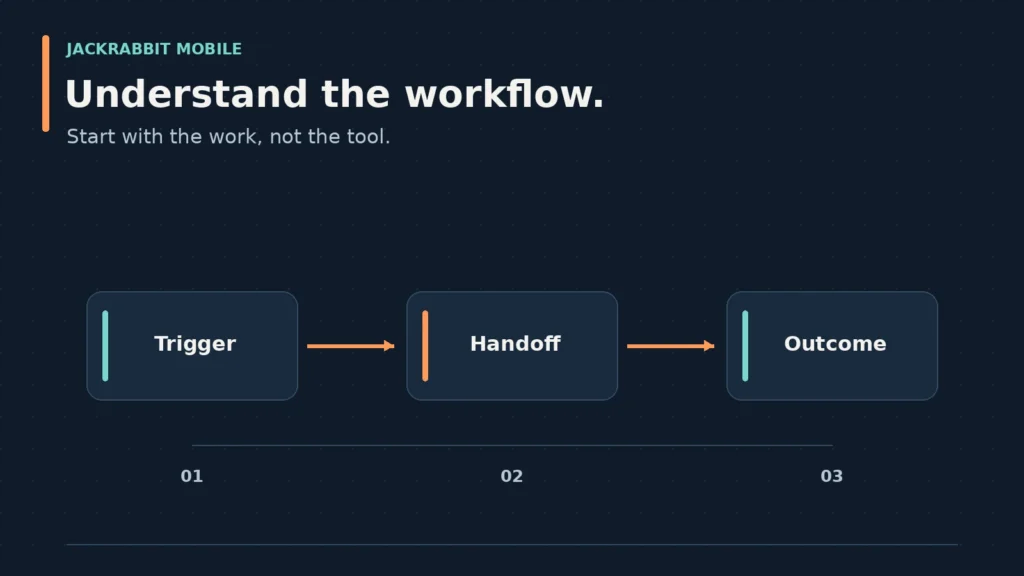
A consultant’s first job is to make the current process visible. That means naming the trigger, the steps, the handoffs, and the output. If a team cannot describe who does what and when, automation will simply make the confusion faster.
The workflow map should capture the real process, not the documented one. Ask the people doing the work to walk through a typical case and an unusual one. The gap between those two versions is where most automation projects stall. A good business process automation consulting engagement treats that gap as the discovery target, not an inconvenience.
Once the workflow is visible, the next question is which steps are stable enough to automate. Steps that change every quarter are poor candidates. Steps that follow the same rules every time, even if they are tedious, are usually the best first targets. The tool decision comes after that clarity, not before it.
Measure Manual Work and Identify Exceptions
Manual work hides in small increments: copying data between systems, rekeying information, chasing approvals, and correcting formatting. Individually, each task looks minor. Together, they consume hours that never appear on a project plan.
A useful measurement approach is to track one workflow for a week. Count the touches, the wait time between steps, and the number of exceptions. You do not need a full time study. You need enough evidence to separate “this is annoying” from “this is expensive.” Business process automation consulting should produce that evidence before recommending any build.
Exceptions deserve special attention. If 20 percent of cases require human judgment, automating the other 80 percent still leaves a review queue. That is often the right outcome. The mistake is pretending the exception path does not exist. A scoped automation project should define what happens when the rule does not fit, not just what happens when it does.
Decide Where Automation Helps and Where Human Review Stays
Automation works best for rules that are explicit, repeatable, and low-ambiguity. It works poorly for decisions that require context, relationships, or accountability. The line between those two categories is a business decision, not a technical one.
Consider an invoice approval process. Matching line items to a purchase order is a strong automation candidate. Deciding whether a late payment should be waived is not. A consultant should help you draw that line clearly and document the reasoning. That keeps the automation from creating new bottlenecks when a case falls outside the rules.
Human review also belongs wherever errors carry real consequences. Compliance checks, customer-facing communications, and financial approvals often need a person in the loop. The goal is not to remove every human touch. It is to reserve human attention for the cases that actually need it.
Build a Discovery Scope and Success Criteria
A scoped discovery phase should end with a decision document, not a vague recommendation. That document names the workflow, the current pain, the proposed automation boundary, and the systems involved. It also states what success looks like in measurable terms.
Success criteria might include reduced processing time, fewer manual touches, or faster handoffs between teams. The specific metric depends on the workflow. What matters is that the metric exists before development starts. Without it, the project can drift into building features that feel productive but do not change the operation.
The scope should also list what is out of scope. If the first project covers order entry but not inventory sync, say so. That boundary protects the timeline and gives the team a clear definition of done. Business process automation consulting is most valuable when it produces this kind of decision-ready scope, not just a list of possible tools.
Questions to Ask Before Committing to Automation
Before you approve a project, ask these questions. They force the conversation past enthusiasm and into trade-offs.
Which workflow are we automating, and who owns it?
If no one owns the process, no one will own the automation. The owner should be someone who can make decisions about rule changes and exception handling.
What does the current process cost us?
The answer can be time, error rate, or customer delay. It does not need to be a precise dollar figure, but it needs to be specific enough to compare against the cost of the project.
Which steps are stable enough to automate?
If the rules change monthly, the automation will require constant rework. Pick a workflow with stable rules and a clear trigger.
What happens when the automation fails?
Every automated process needs a fallback. Define who gets notified, how work is rerouted, and how the team recovers without losing data or trust.
Which systems need to connect?
Automation often depends on integrations between existing tools. Confirm that the systems involved can share data through an API or another reliable method before committing to the build.
What does the first version look like?
A useful first version solves one workflow end to end. It does not try to automate every exception or every adjacent process. Define that first version clearly.
How will we measure success?
Pick one or two metrics you can track before and after launch. That baseline is the only way to know whether the automation worked.
Turning a Workflow Decision Into a Software Scope
A decision-ready scope names the problem, the systems involved, the first boundary to address, and the conditions that would require human review. It also separates a general process-improvement question from a defined software requirement.
If the work calls for a custom software project, mobile or web application, or an integration between existing systems, Jackrabbit Mobile can discuss those verified service needs and the project requirements.
Frequently Asked Questions
What does business process automation do?
Business process automation reduces manual work by moving repetitive, rule-based tasks into software. It can route approvals, sync data between systems, generate documents, and trigger notifications. The goal is to cut processing time and errors while keeping human review where judgment is required.
What does an RPA consultant do?
An RPA consultant focuses on robotic process automation, which uses software bots to mimic human actions in existing systems. The consultant maps the process, identifies bot-ready steps, builds the automation, and tests it against real cases. RPA works best for high-volume, rules-based tasks that do not require changing the underlying systems.
What does a business process consultant do?
A business process consultant analyzes how work flows through an organization and recommends improvements. That may include automation, but it can also include removing redundant steps, clarifying roles, or redesigning handoffs. The consultant documents the current state, defines the future state, and helps the team plan the change.
Who are the top RPA providers?
The right RPA provider depends on your existing systems, budget, and the complexity of the workflows you want to automate. A consultant can help you evaluate providers against a specific process rather than choosing based on brand alone.
Talk with Jackrabbit Mobile about your workflow, requirements, and next development decision.
 Older posts