

Problems Business Process Automation Can Solve
Most teams don’t need more software. They need fewer manual steps between a request and a finished outcome. The problems business process automation can solve are usually hiding in those steps: copied data, waiting on approvals, missed handoffs, and work that follows a rule but still depends on a person to click the button. This page walks through the specific problems worth automating, the ones that aren’t, and how to pick a first project you can actually finish.
Repetitive Work and Avoidable Handoffs
The clearest automation target is work that happens the same way every time. If a task has a stable trigger, a known set of inputs, and a predictable output, it’s a candidate. That includes data entry between systems, invoice matching, status updates, file renaming, report generation, and routing a request to the right person.
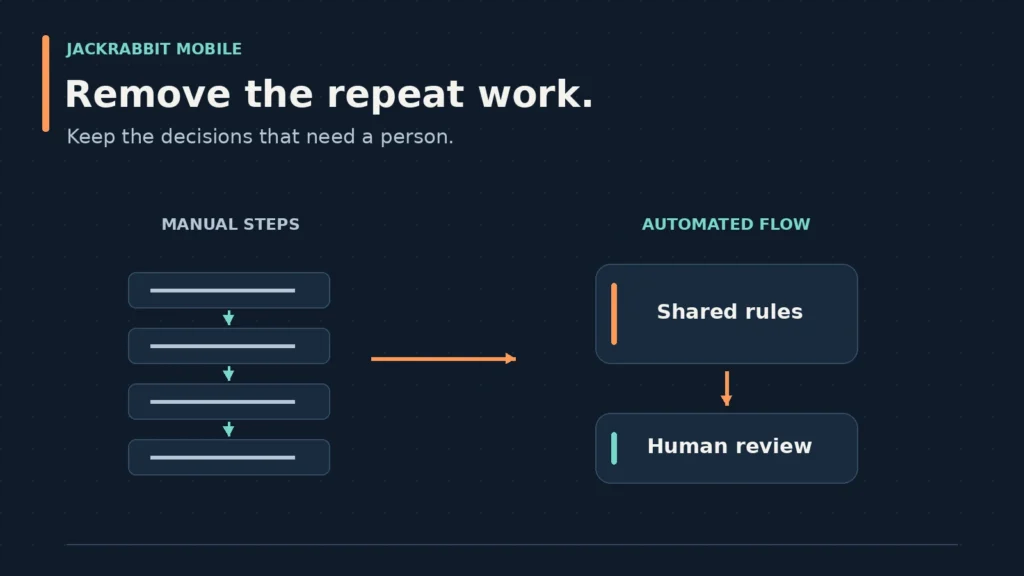
The cost isn’t just the time spent doing the task. It’s the handoff. Every time work moves from one person to another, there’s a chance for delay, miscommunication, or a dropped detail. Automation removes the handoff by letting the system carry the work forward.
A common example is a sales order that arrives by email, gets typed into an ERP, then gets copied into a project tracker. Three systems, three chances for error. An automated flow can read the order, create the record, and notify the right team without anyone retyping a number.
That’s where the phrase “problems business process automation can solve” gets concrete. It’s not about replacing people. It’s about removing the copying and waiting that eat time without adding judgment.
How to Spot Repetitive Work
Look for tasks where someone says, “I do this every Monday,” or “I copy this from here to there.” Ask what happens if the task is late. If the answer is a chain of follow-up messages, the process has friction worth automating.
Stable Rules vs. Judgment-Heavy Work
Automation works best when the rules are stable. If a refund under $50 is approved according to a fixed policy, that’s a rule. If a document requires three signatures above a certain amount under a defined policy, that’s a rule. If a support ticket routes to billing when the word “invoice” appears according to a documented routing rule, that’s a rule.
Judgment-heavy work is different. A contract negotiation, a design review, or a hiring decision involves context, trade-offs, and exceptions. Automating those decisions too early creates brittle systems that fail the first time reality doesn’t match the rule.
The practical line is this: automate the steps around the judgment, not the judgment itself. A system can collect documents, check for completeness, route to the right reviewer, and track the decision. The human still makes the call.
This distinction matters because many automation projects fail when teams try to automate a process they haven’t stabilized. If the process changes every quarter, the automation will need constant rework. Start with the boring, stable parts.
Data Errors and Information Quality
One of the most expensive problems business process automation can solve is bad data. Manual entry creates typos, duplicates, missing fields, and inconsistent formats. Those errors compound downstream. A wrong customer ID means a wrong invoice. A misspelled product code means a failed lookup.
Automation improves data quality in two ways. First, it removes the retyping that causes most errors. Second, it enforces validation at the point of entry. A form can check that an email address is formatted correctly, that a required field is present, or that a value matches an existing record.
That doesn’t mean automation makes data perfect. It means errors become visible earlier, when they’re cheaper to fix. A system that flags a missing field before the record enters the database is more useful than a report that finds the gap three weeks later.
For teams planning a scoped project, this is often the strongest business case. Data quality problems are measurable. You can count the duplicates, the rejected records, or the hours spent reconciling two reports.
Approval Bottlenecks and Delays
Approvals are a common source of process friction. A purchase request waits for a manager. A content draft waits for legal. A time-off request waits for HR. Each wait adds days to a process that might take minutes of actual work.
Automation can’t make people approve faster, but it can remove the waiting that isn’t about the decision. It can route the request to the right person, send reminders, escalate after a set time, and keep a record of what happened.
The key is designing the routing rules correctly. If every request goes to the same person regardless of amount or type, the bottleneck stays. If requests under a threshold are auto-approved and larger ones route to the right approver, the queue shrinks.
This is a good example of a scoped automation project. You don’t need to rebuild the entire approval system. You need to fix the routing and visibility around it.
Visibility Gaps and Status Chasing
When a process lives in email threads and spreadsheets, nobody knows where anything stands. People send “just checking in” messages. Managers ask for status updates. Customers ask where their order is.
Automation creates a single source of truth for process state. Each step updates the record. Anyone with access can see where the work is, who has it, and what’s next. That removes the status-chasing that consumes time without moving work forward.
This is less about speed and more about control. A team that can see its work can manage it. A team that can’t see its work spends its energy trying to reconstruct what happened.
Before building anything, map the current process and find where visibility breaks down. A useful automation should make the process visible, not just faster.
Compliance and Audit Readiness
Many processes exist because a regulation or customer contract requires them. The work isn’t optional, but the way it’s done can be automated. Document collection, record keeping, access logging, and evidence gathering are all rule-based tasks.
Automation helps by making the required steps consistent. Every record gets the same fields. Every approval gets logged. Every document gets stored in the right place. When an audit happens, the evidence is already organized.
This is a strong use case for teams in healthcare, finance, or any industry with formal compliance obligations. The automation doesn’t replace the compliance judgment. It makes the evidence trail reliable.
One caution: don’t claim a specific compliance status for a project unless the applicable framework and implementation are confirmed. The automation supports the process; it doesn’t certify it by itself.
How to Prioritize Which Process to Automate First
Most teams have more automation opportunities than capacity. The question isn’t what could be automated. It’s what should be automated first.
A useful filter is to score each candidate on three factors: frequency, error cost, and rule stability. A process that runs daily, causes expensive errors, and follows stable rules is a better first project than one that runs monthly, fails quietly, and changes often.
Another filter is the “annoyance test.” If a process generates regular complaints from the people doing it or the people waiting on it, that’s a signal. Friction that people feel is usually friction worth removing.
Start with one process. Define the trigger, the steps, the exceptions, and the outcome. Build a small version, test it with real work, and expand only after it proves useful. That’s the lean approach: reach a useful result incrementally rather than trying to automate everything at once.
A Simple Prioritization Table
| Factor | Question to Ask |
|---|---|
| Frequency | How often does this process run? |
| Error cost | What happens when it goes wrong? |
| Rule stability | Do the rules change often? |
| Visibility | Can the team see where work is stuck? |
| Exception rate | How often does a human need to step in? |
This table isn’t a scoring model. It’s a way to compare candidates without getting lost in enthusiasm for a particular tool.
Exceptions and Human Oversight
Every automated process has exceptions. A vendor sends an invoice in the wrong format. A customer requests a change outside the normal rules. A system goes down. The automation needs a path for those cases.
Plan the exception path before you build. Decide who gets notified, what information they need, and what happens to the work while it waits. A process that fails silently or dumps exceptions into an unmonitored queue creates a new problem.
Human oversight doesn’t mean a person reviews every step. It means a person can see when something needs attention and has enough context to act. The automation should make the exception visible, not hide it.
This is why testing matters. Run the automation against real data, including messy data. See where it breaks. Fix the break before the process goes live.
The Challenges of Business Process Automation
Automation isn’t free. The main challenges are process instability, unclear ownership, and the temptation to automate before understanding the work.
If the process isn’t documented or changes frequently, automation will amplify the confusion. If nobody owns the process, nobody will maintain the automation. If the team automates a broken process, it gets a faster broken process.
Start with discovery: map the current process, talk to the people doing the work, and define what “done” means. This creates a clearer basis for deciding whether software should be built.
How to Start with One Useful Automation
Pick a process that meets these conditions: it runs at least weekly, it has a clear trigger, it follows stable rules, and its failure is visible. Then define the smallest version that solves the core problem.
For example, instead of automating the entire invoice approval workflow, start with automatic routing and reminders. That removes the waiting without requiring a complex rules engine. Once that works, add auto-approval for small amounts.
The goal is to ship something useful, learn from real use, and expand. That’s more effective than a long requirements document and a big-bang launch.
If your team is considering a custom software project, mobile or web application, or systems integration, contact Jackrabbit Mobile to discuss the stated requirements and project scope.
Frequently Asked Questions
What are the challenges of business process automation?
The main challenges are unstable processes, unclear ownership, and automating before understanding the work. If the process changes often or nobody owns it, automation creates maintenance burden. Teams also struggle with exception handling and user adoption. Discovery and a small first project reduce these risks.
What are the challenges of RPA?
RPA, or robotic process automation, breaks when the underlying interface changes. A bot that clicks buttons in a legacy system fails when the screen layout shifts. RPA also struggles with unstructured data, exceptions, and processes that require judgment. Maintenance costs can grow as the number of bots increases.
Will RPA be replaced by AI?
RPA and AI solve different problems. RPA automates rule-based tasks with a fixed interface. AI handles unstructured data, prediction, and language. The two are increasingly combined, but AI doesn’t replace RPA for stable, repetitive workflows. The choice depends on the process, not a technology preference.
What are some real-life examples of business problems?
Common examples include manual data entry between systems, approval delays, missing status visibility, duplicate records, and inconsistent document handling. A sales order that gets retyped into three systems is a business problem. So is a purchase request that waits a week for a routing decision.
 Older posts