

Custom Software Development for Small Business: When Spreadsheets and SaaS Stop Fitting
Most small business owners don’t start with a software problem. They start with a workflow that has quietly become the problem. A spreadsheet that three people edit at once, a booking process that requires four manual steps, an inventory count that never matches the system. Custom software development for small business is the process of building a tool around that specific workflow, rather than reshaping the business to fit a generic tool. This guide walks through how to know when custom is the right call, what shapes the cost, and how to scope a project you can actually manage.
Signs the Current Workflow No Longer Fits
The clearest signal isn’t a technology gap. It’s a time gap. When a team spends hours each week copying data between systems, correcting duplicate entries, or rebuilding the same report by hand, the workflow has outgrown its tools. Those hours are the real cost of staying put.
A second signal is error rate. Manual processes fail in predictable ways: a missed field, a stale version of a file, a customer record that exists in two places with different information. If errors are showing up in front of customers, or if a manager has to check every output before it goes out, the process is no longer reliable enough for the business.
The third signal is constraint. A small business may want to offer a service, track a field, or connect two tools in a way its current software simply doesn’t allow. When the answer to every improvement is “the system can’t do that,” the business is adapting to the software instead of the other way around.
None of these signs automatically mean custom software is the answer. Sometimes a better SaaS plan, a cleaner process, or a simple integration fixes the issue. But when the gap is in how the business actually operates, not in how a tool is configured, custom becomes a serious option.
Compare Configuration, Integration, and Custom Build Options
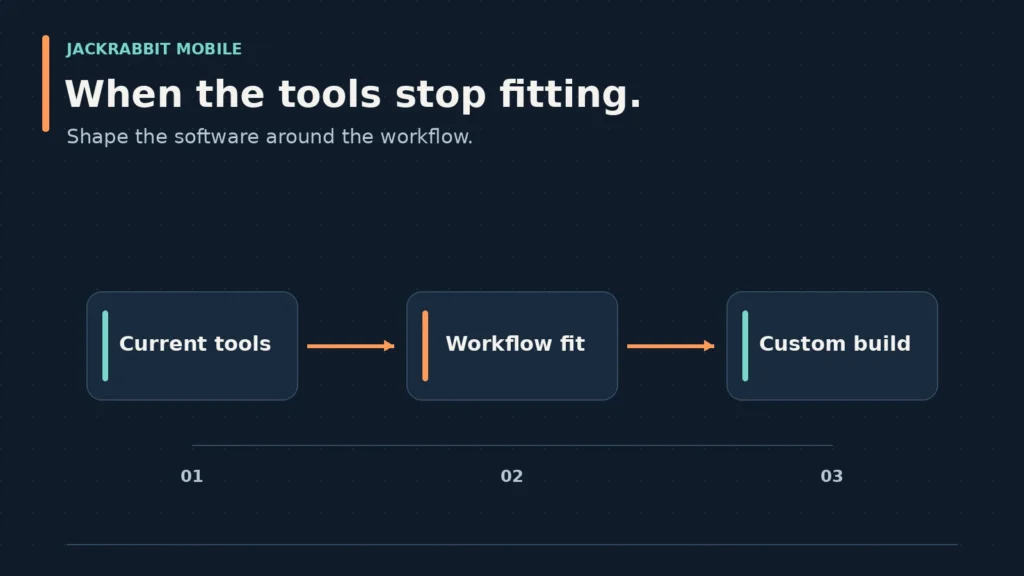
Small businesses have three practical paths when off-the-shelf tools stop fitting. Each has a different cost, timeline, and ownership profile.
Configuration means adjusting settings, fields, and workflows inside an existing SaaS product. It’s the fastest and cheapest option, but it only works within the boundaries the vendor designed. If the business process can bend to the tool, configuration is usually the right first move.
Integration connects two or more existing systems so data moves between them without manual copying. A direct API connection or an integration platform can solve a surprising number of problems. Integration works well when the individual tools are fine and only the handoff between them is broken.
Custom build means designing and developing software around the business’s actual process. This is the most expensive and slowest path, but it’s also the only one that removes the vendor’s boundaries entirely. Custom software development for small business makes sense when the workflow itself is the differentiator, when no existing tool covers the core process, or when the cost of working around a tool exceeds the cost of building.
The decision often comes down to a simple question: is the process generic or specific? A generic process, like sending invoices or managing a contact list, belongs in a generic tool. A specific process, like a unique quoting workflow or a field-service routing rule, may justify a custom build.
Map the Process Before Selecting a Solution
The most expensive mistake in custom software development for small business is building before understanding. A development team can build almost anything, but building the wrong thing wastes time and money that small businesses don’t have.
Mapping the process means writing down, in plain language, what actually happens today. Who does what, in what order, with what information, and where the handoffs break. This isn’t a technical document. It’s a clear description of the current state, including the ugly parts.
From that map, the team can define the future state: what should happen, what should be automated, and what should stay human. This is where a discovery phase earns its cost. It forces decisions before code gets written. It surfaces assumptions that would otherwise become expensive rework.
A discovery phase can identify business goals, define requirements, and develop a system architecture that fits the actual workflow rather than a generic template. That early work gives a team a clearer basis for its build decision.
A good process map also reveals scope. Once the current and future states are clear, the team can see which parts are essential for launch and which can wait. That distinction is what keeps a project from ballooning.
Set a Practical Scope and Ownership Model
Scope is where small business software projects succeed or fail. A project that tries to automate everything at once usually stalls. A project that starts with one painful workflow and expands from there has a much better chance of shipping.
The practical approach is to define a minimum useful version. What is the smallest set of features that would remove the biggest pain? That version becomes the first release. Everything else goes on a list for later. This is the lean development approach: build a useful increment, get real feedback, then decide what to build next.
Ownership matters just as much as scope. Someone inside the business needs to own the project: to answer questions, make decisions, and test the software as it’s built. Without that person, the development team is guessing, and the business ends up with a tool that doesn’t match how people actually work.
Ownership also includes maintenance. Custom software isn’t finished when it launches. It needs bug fixes, security patches, and occasional feature updates. A small business should plan for that ongoing cost before the first line of code is written. Jackrabbit Mobile’s maintenance and support scope covers those needs, but the business should treat them as a budget line, not an afterthought.
Questions to Ask Before Investing in Custom Software
Before signing a contract, a small business should be able to answer these questions clearly:
What specific workflow is broken? If the answer is vague, the project isn’t ready. The answer should name a process, a person, and a pain.
What would success look like in six months? A concrete outcome, like “inventory counts match the system within one day” or “quoting takes ten minutes instead of an hour,” gives the project a target.
Who will own the project internally? Someone needs time and authority to make decisions. If no one has that, the project will drift.
What is the budget range, not just the initial build? Include maintenance, hosting, and future changes. A build with ongoing maintenance is a different commitment than a build with nothing after.
What happens if the business grows or changes? Custom software should be built to change. Ask how the architecture supports adding features, users, or integrations later.
What does the development process look like? A good answer includes discovery, design, development, testing, and launch, with regular check-ins along the way. A vague answer is a warning sign.
These questions don’t guarantee success, but they force the kind of clarity that separates a scoped project from an expensive experiment.
What Shapes Custom Software Cost
Cost is the question every small business asks first, and the honest answer is that it depends on scope. Published ranges for small business projects are broad because projects vary so much. A simple internal tool with one workflow might cost less. A customer-facing app with payments, accounts, and integrations will cost more.
The variables that drive cost are the number of screens, the complexity of the data model, the number of integrations, the need for mobile access, and the level of design polish. Each of those is a decision, not a given. A small business can control cost by cutting scope, not by cutting quality.
It’s also worth separating build cost from total cost. Build cost is what the development team charges. Total cost includes the owner’s time, the cost of delay, the cost of training, and the ongoing maintenance. A realistic budget accounts for all of it.
How to Develop Your Own Custom Software
Some small business owners wonder if they can build software themselves. The answer depends on the owner’s technical background and the complexity of the project.
For a simple internal tool, a technically skilled owner might use a low-code platform or a framework like Python with a basic web interface. That can work for a single workflow with a small number of users. The risk is that the tool grows, and the owner becomes the only person who understands it.
For anything customer-facing, anything with payments or sensitive data, or anything that needs to work on mobile, a professional team is the safer path. The cost of getting security, performance, or user experience wrong is higher than the cost of hiring help.
The middle path is to hire a development team for the hard parts and keep the simple parts in-house. That’s a conversation worth having during discovery, not after the project has started.
Frequently Asked Questions
How much does it cost to develop custom software?
Small business projects vary widely depending on scope, integrations, design, and platform. A simple internal tool costs less; a customer-facing app with payments and mobile access costs more. The range is broad because the variables are decisions, not fixed costs. Scope control is the main lever a small business has over price.
How can I develop my own custom software?
A technically skilled owner can build a simple internal tool with a low-code platform or a framework like Python. That works for one workflow and a few users. For customer-facing software, payments, sensitive data, or mobile access, a professional team is the safer choice. The middle path is hiring help for the hard parts and keeping simple parts in-house.
What are the top 10 custom software development companies?
This page doesn’t rank agencies, and any top-10 list is a snapshot that goes stale quickly. A better approach is to evaluate firms on their process: do they start with discovery, do they show work incrementally, do they test, and do they offer maintenance after launch. Those questions reveal more than a ranking.
What is the best software for a very small business?
For most very small businesses, the best software is a well-configured SaaS tool or a simple integration between tools. Custom software only becomes the best option when the workflow is specific, the process is the business’s differentiator, or the cost of working around existing tools exceeds the cost of building. Start with the process, not the product.
Talk Through Your Custom Software Decision
If you’re weighing configuration, integration, or a custom build for a specific workflow, Jackrabbit Mobile can help you think through the scope, requirements, and trade-offs before you commit. We’re available to discuss custom software, mobile and web applications, integrations and APIs, cloud work, UI/UX, QA/testing, and maintenance needs. Contact Jackrabbit Mobile to start that conversation.
 Older posts